¶ Settings and Preferences
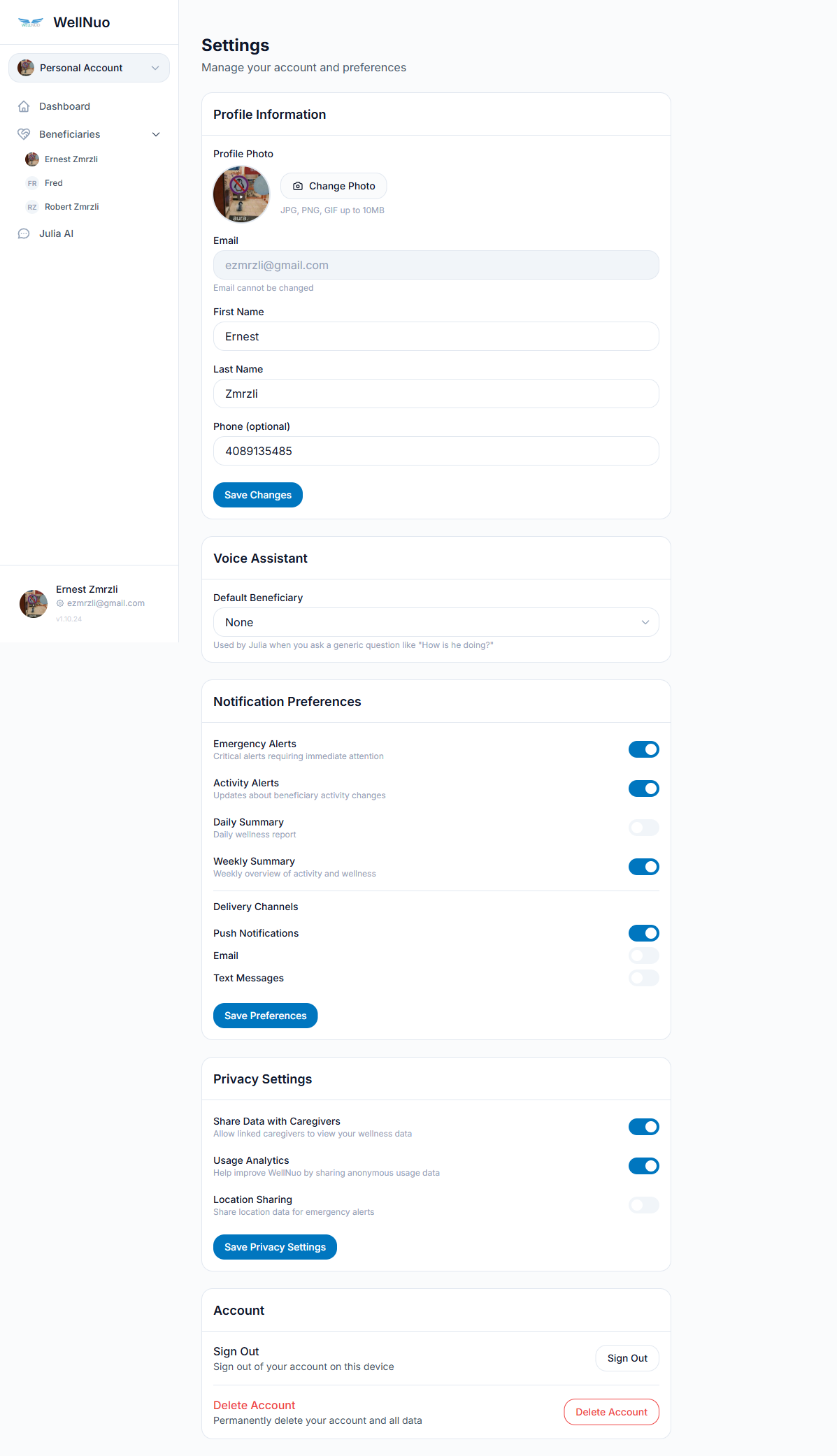
¶ Accessing Settings
To access this section, select your profile photo located on the bottom left sidebar. This will open your account settings and preferences.
¶ Profile Information
Manage your personal details:
- Profile Photo - Upload a JPG, PNG, or GIF (up to 10MB)
- Email - Your login email (cannot be changed)
- First Name - Your first name
- Last Name - Your last name
- Phone - Optional contact number
¶ Voice Assistant Settings
Configure Julia's behavior:
- Default Beneficiary - Set who Julia assumes you're asking about when you use generic questions like "How is he doing?"
¶ Notification Preferences
Control what alerts you receive:
¶ Alert Types
| Alert | Description |
|---|---|
| Emergency Alerts | Critical alerts requiring immediate attention |
| Activity Alerts | Updates about beneficiary activity changes |
| Daily Summary | Daily wellness report |
| Weekly Summary | Weekly overview of activity and wellness |
¶ Delivery Channels
Choose how you receive notifications:
- Push Notifications - Browser/app notifications
- Email - Email alerts
- Text Messages - SMS alerts
¶ Privacy Settings
Control your data sharing:
- Share Data with Caregivers - Allow linked caregivers to view wellness data
- Usage Analytics - Help improve WellNuo by sharing anonymous usage data
- Location Sharing - Share location data for emergency alerts
¶ Account Management
- Sign Out - Log out of your account on this device
- Delete Account - Permanently delete your account and all data