¶ Managing Beneficiaries
A beneficiary is a person you are monitoring with WellNuo. This guide explains how to add, view, and manage beneficiaries.
¶ The Manage Screen
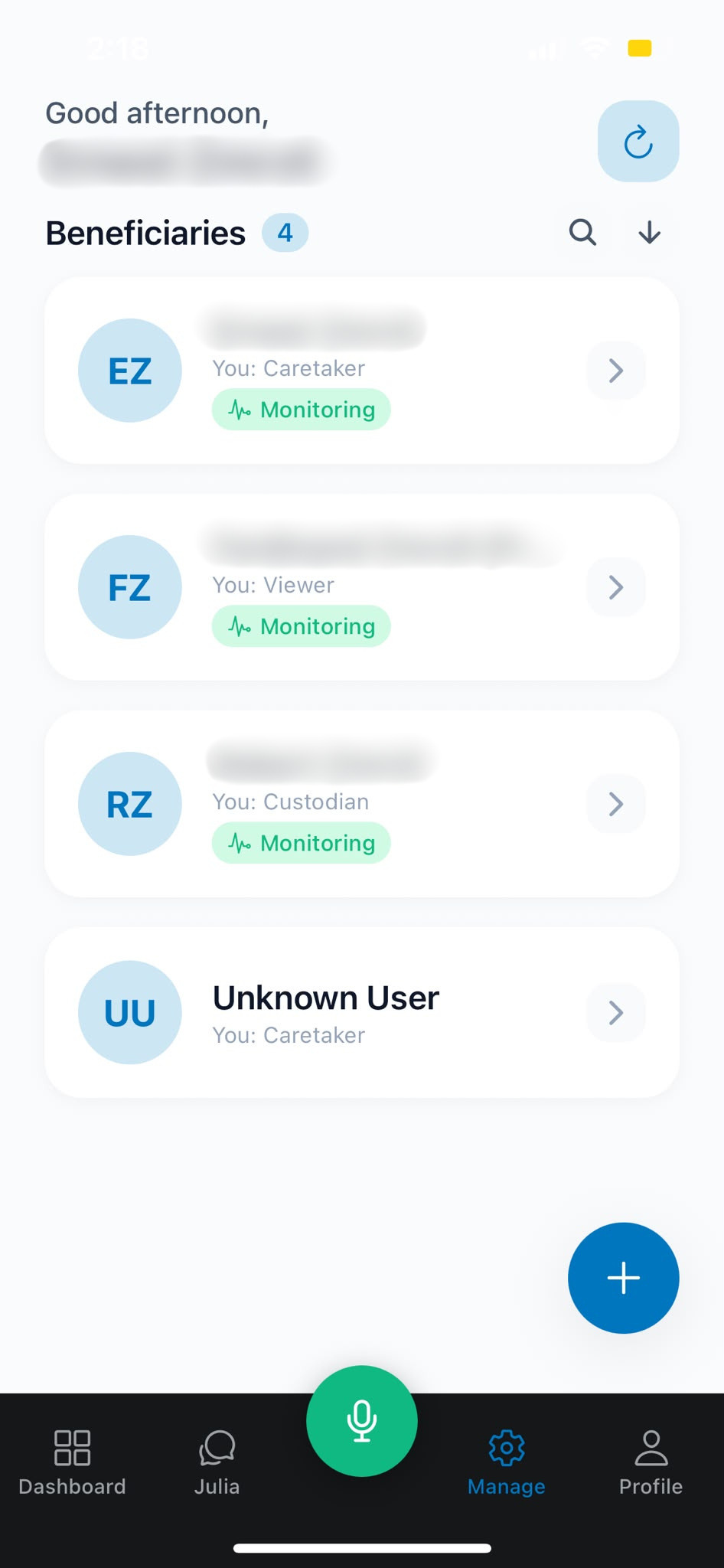
Access the Manage tab from the bottom navigation to see all your beneficiaries.
¶ Beneficiary List
Each beneficiary card shows:
- Name and photo of the person
- Status indicator: Active monitoring status
- Quick access to their settings
¶ WellPlug Management
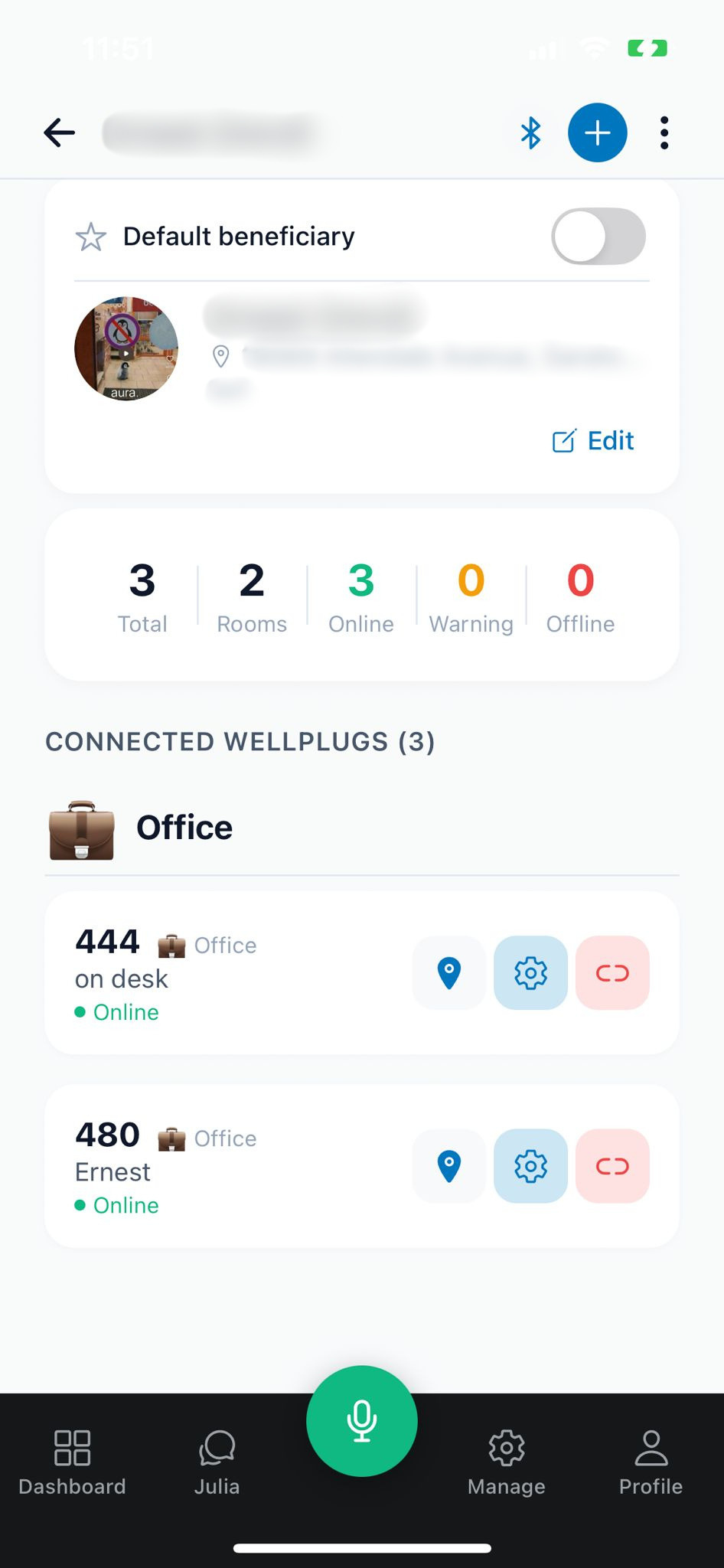
Tap on a beneficiary's name in the Manage screen to view and manage all WellPlugs assigned to them.
¶ Adding a New Beneficiary
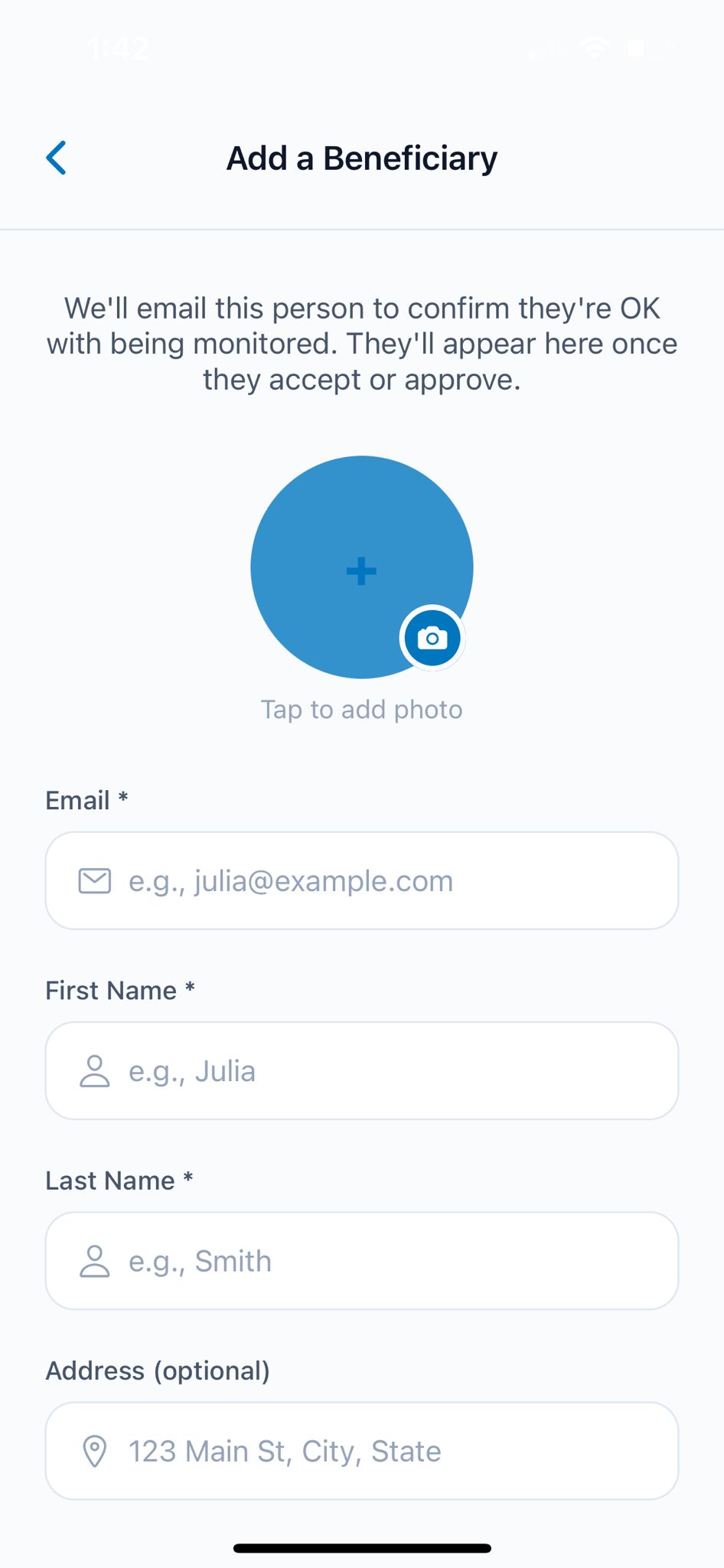
To add someone new to your care network:
- Tap the + button on the Manage screen
- Enter their personal information:
- Full name
- Phone number
- Email address
- Relationship
- Set up their WellPlugs
- Configure initial alert settings
¶ Subscription Management
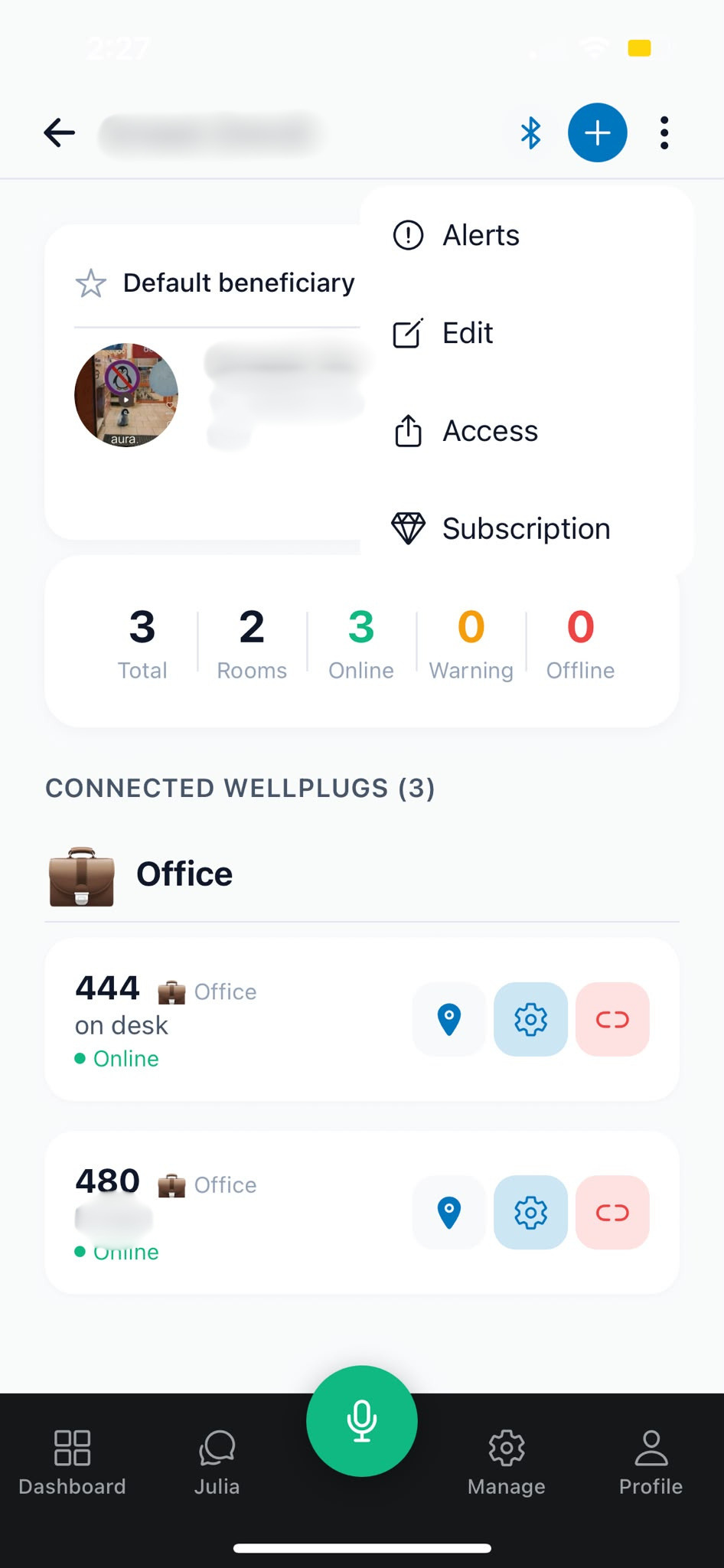
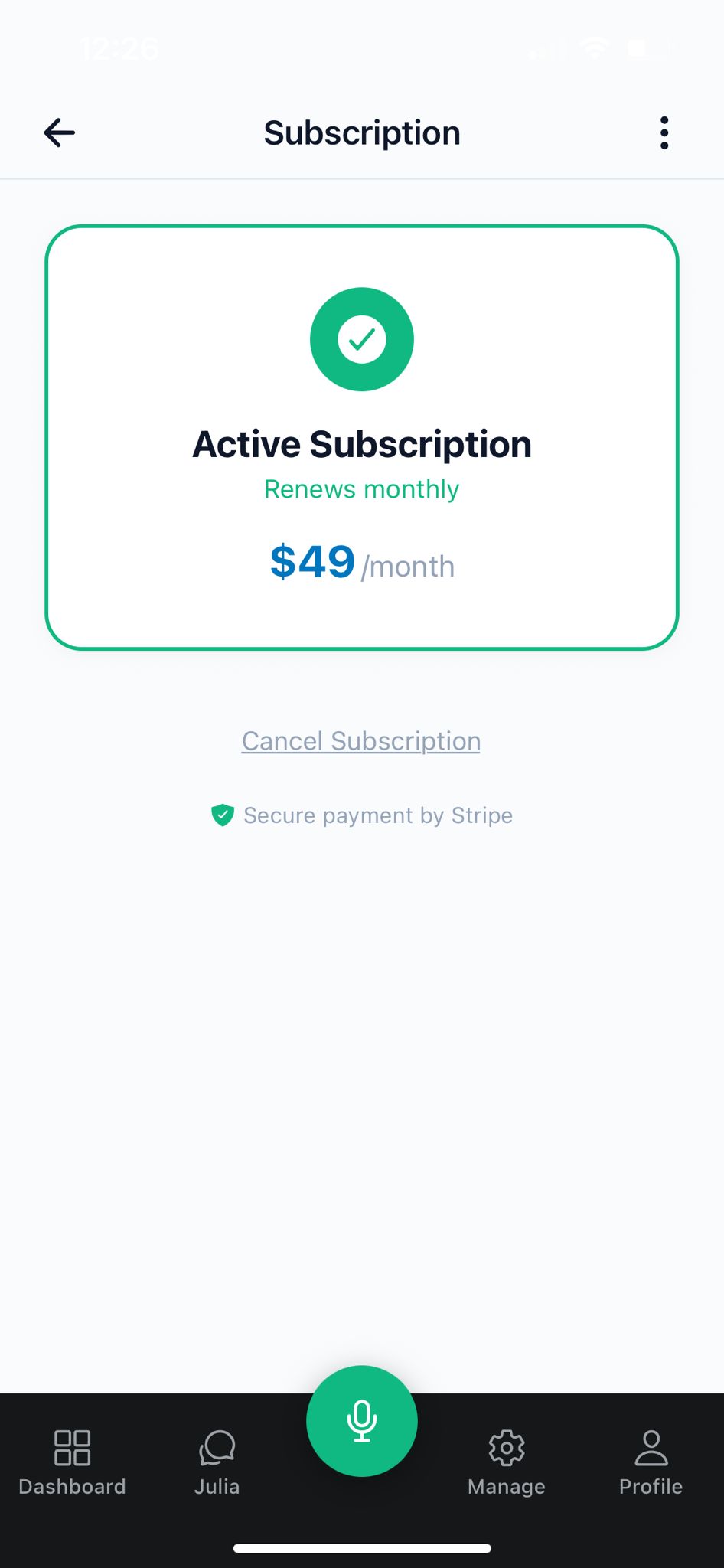
Each beneficiary requires an active subscription. To view subscription details, go to Manage in the bottom navigation, select a beneficiary, tap the three dots in the top right corner, and select Subscription.
¶ Subscription Details
- Monthly cost: $49/month per beneficiary
- Includes: 24/7 monitoring, alerts, location tracking
- Billing: Automatic monthly renewal
- Cancel anytime: No long-term contracts
¶ Access Control
Manage who can view a beneficiary's information. After selecting a beneficiary from the window, tap the top right three dots and select Access.
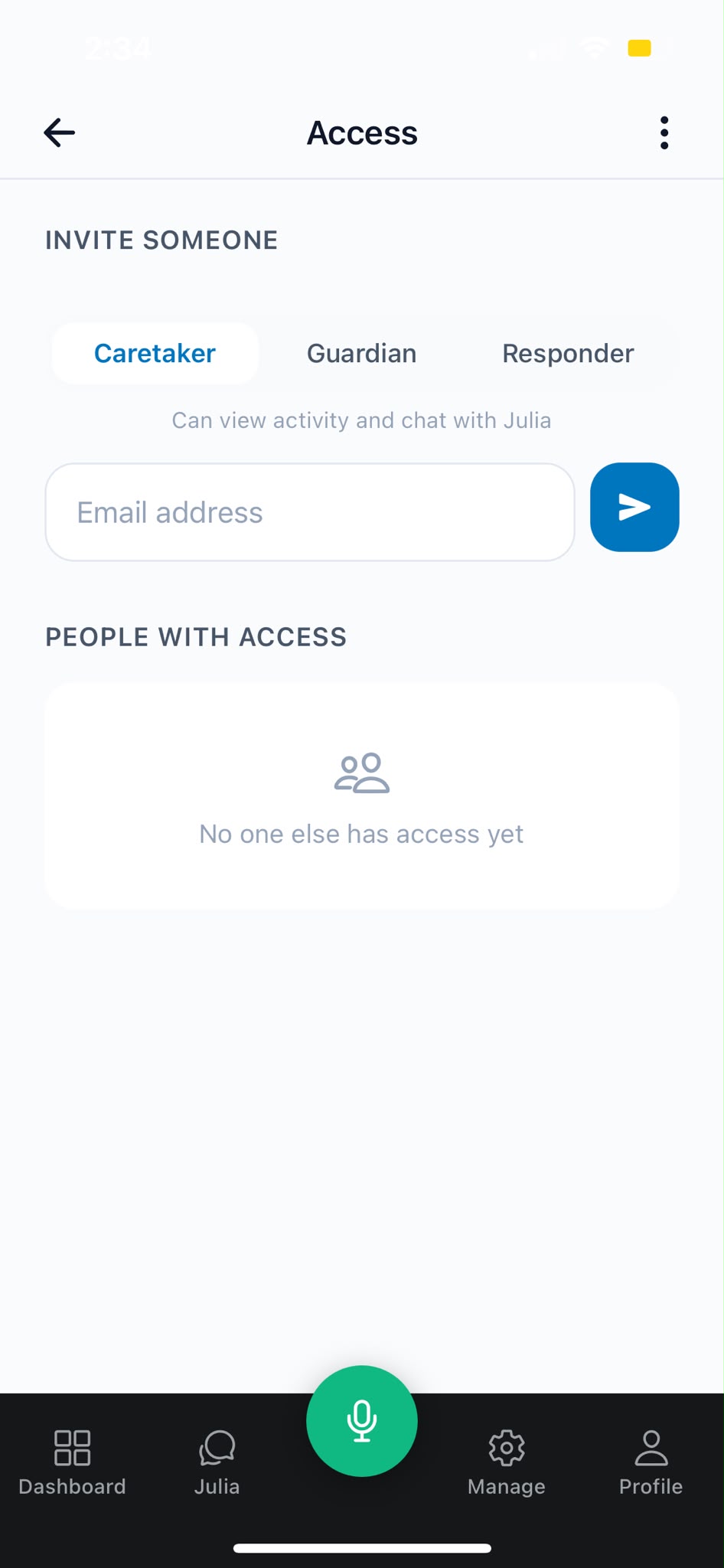
To invite a caregiver, tap Create Access, enter their email address, and select one of the following access levels:
¶ Access Levels
¶ Guardian — Manage Care
A Guardian is a trusted caregiver with administrative privileges for day-to-day care management. Guardians have the same visibility into the beneficiary's information as the Custodian but cannot perform owner-only account actions.
Permissions
Guardians can:
- View all activity, dashboards, alerts, and historical data.
- Ask Julia questions about any of the beneficiary's available data.
- Invite and remove caregivers.
- Assign and change caregiver roles.
- Add, remove, and manage sensors.
Restrictions
Guardians cannot:
- Edit the beneficiary's identity or account ownership details.
- Transfer account ownership to another caregiver.
- Delete the beneficiary's account.
¶ Caretaker — Monitor and Assist
A Caretaker can monitor the beneficiary's wellbeing and use Julia to stay informed, but cannot make administrative changes to the account.
Permissions
Caretakers can:
- View all activity, dashboards, alerts, and historical data.
- Ask Julia questions about any of the beneficiary's available data.
- Set a private nickname for the beneficiary that is visible only to them.
Restrictions
Caretakers cannot:
- Invite, remove, or manage caregivers.
- Change caregiver roles or permissions.
- Add, remove, or manage sensors.
- Edit account settings or ownership information.
- Transfer ownership or delete the account.
¶ Responder — Emergency Access
A Responder is intended for emergency contacts, such as neighbors, family friends, or on-call caregivers. Access is limited to information needed to respond to active emergencies.
Permissions
Responders can:
- View active alerts and alarms.
- Receive information related to ongoing emergency situations.
- Ask Julia emergency-related questions, such as the status or location of an active alarm.
Restrictions
Responders cannot:
- View routine activity, historical data, or dashboards.
- Access non-emergency information about the beneficiary.
- Manage caregivers, permissions, or sensors.
- Edit account settings or ownership information.
- Transfer ownership or delete the account.
Previous: WellPlug Setup | Next: Profile & Settings