¶ Julia Voice Assistant
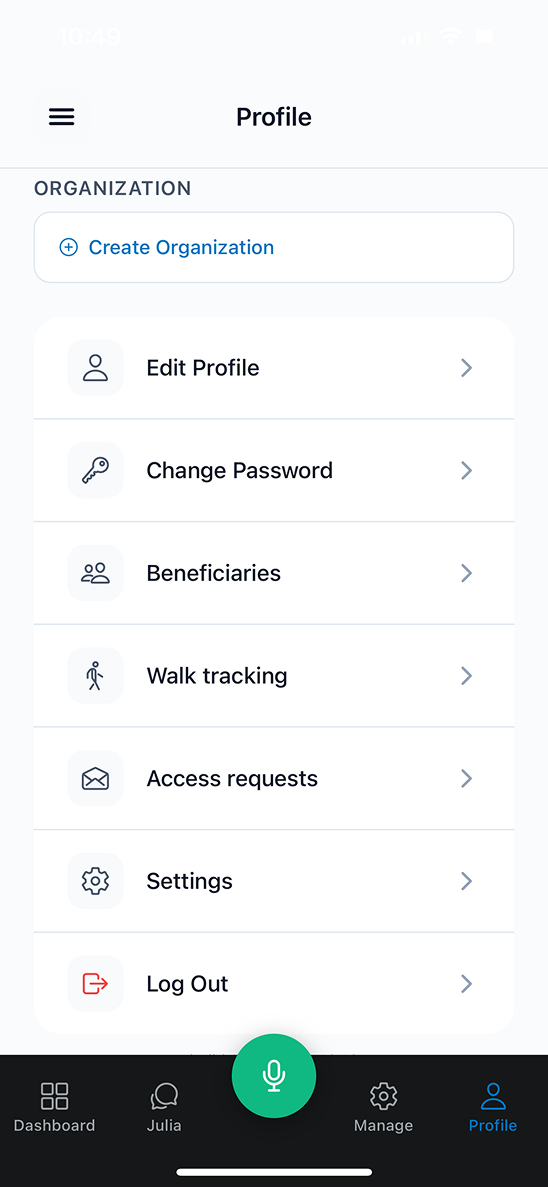
Julia is your AI-powered voice assistant built into the WellNuo app. Access Julia anytime by tapping the green microphone button in the center of the navigation bar.
¶ What is Julia?
Julia is designed to help caregivers quickly get information about their beneficiaries through natural voice commands. Instead of navigating through multiple screens, simply ask Julia and get instant answers.
¶ How to Access Julia
- Open the WellNuo app
- Tap the green microphone button in the center of the bottom navigation bar
- Wait for the listening indicator to appear
- Speak your question or command clearly
¶ What You Can Ask Julia
Julia can help you with:
- Status Updates: "How is [beneficiary name] doing?"
- Location Information: "Where is [beneficiary name]?"
- Activity Reports: "What was [beneficiary name]'s activity today?"
- Sensor Readings: "What's the temperature in [room name]?"
- CO2 Levels: "What's the CO2 level in the office?"
- Recent Activity: "When was [beneficiary name] last seen in the bathroom?"
¶ Tips for Using Julia
- Speak clearly and wait for the listening indicator before speaking
- Use beneficiary names as they appear in the app
- Be specific about what information you need
- If Julia doesn't understand, try rephrasing your question
¶ Contact Support
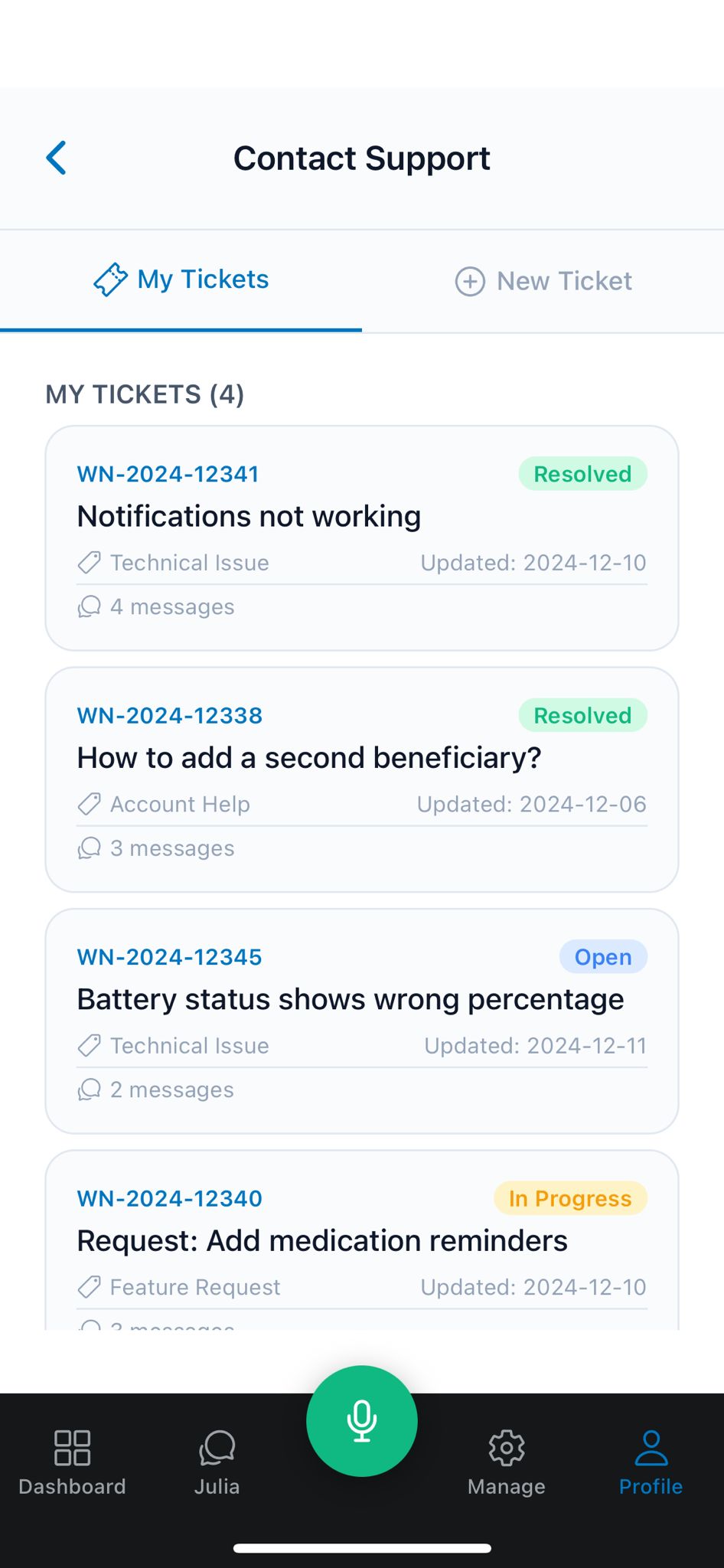
If you need additional help or have questions that Julia can't answer, you can contact WellNuo support:
¶ Support Options
- Phone: +1 (555) 123-4567 (Mon-Fri 8am-8pm EST)
- Email: support@wellnuo.com (24/7)
- Live Chat: Available in the app (24/7)
- Emergency Line: 24/7
¶ Submit a Support Ticket
- Go to Profile > Settings > Contact Support
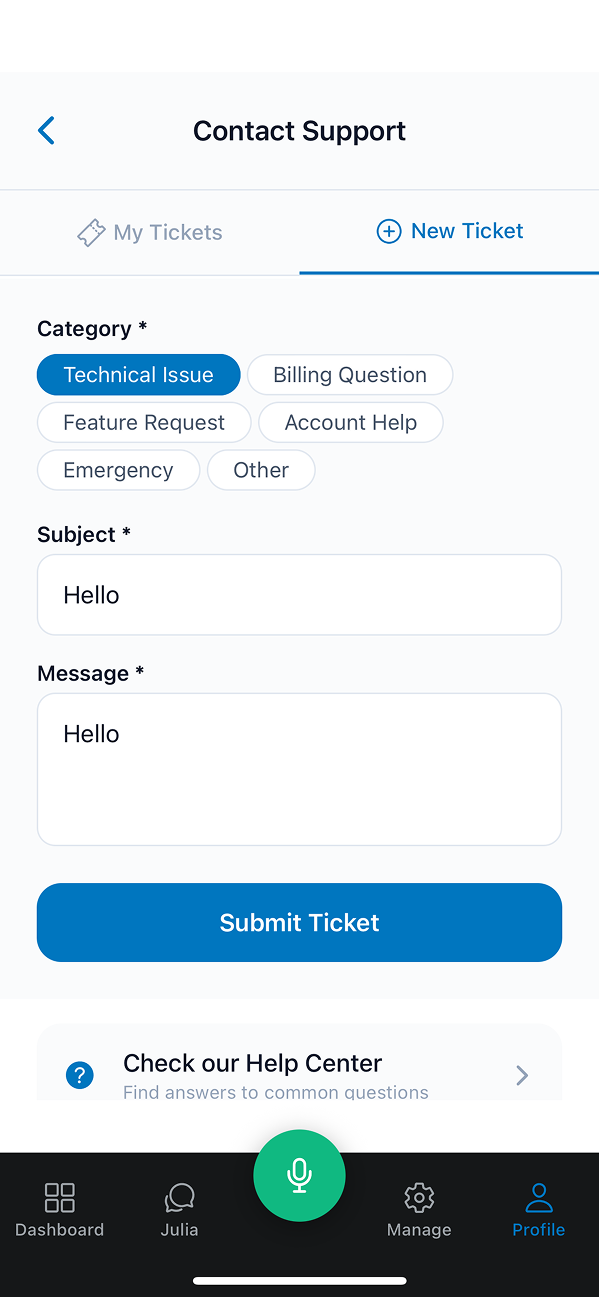
- Select New Ticket
- Choose a category (Technical Issue, Billing Question, Feature Request, etc.)
- Enter a subject and describe your issue
- Tap Submit Ticket
¶ Help Center
Access the Help Center directly from the app for answers to common questions and troubleshooting guides.
Previous: Profile & Settings